
Radiography & X-Ray Systems
Core skeletal and chest imaging equipment options.
Ultrasound & Doppler Imaging
Non-invasive soft tissue, obstetric, and vascular diagnostics.
Advanced Imaging Suites
CT and MRI systems need separate model-specific site, installation and safety planning.
Radiation Safety & Room Compliance
Room design, shielding, monitoring and approvals depend on the modality, exact installation and destination rules. For India, consult AERB's current layout and shielding guidance for the relevant X-ray installation.
Components, Installation & Service to Confirm
Record what is included in the quote and what the facility must arrange for the exact modality and model.
Available Sourcing Catalog
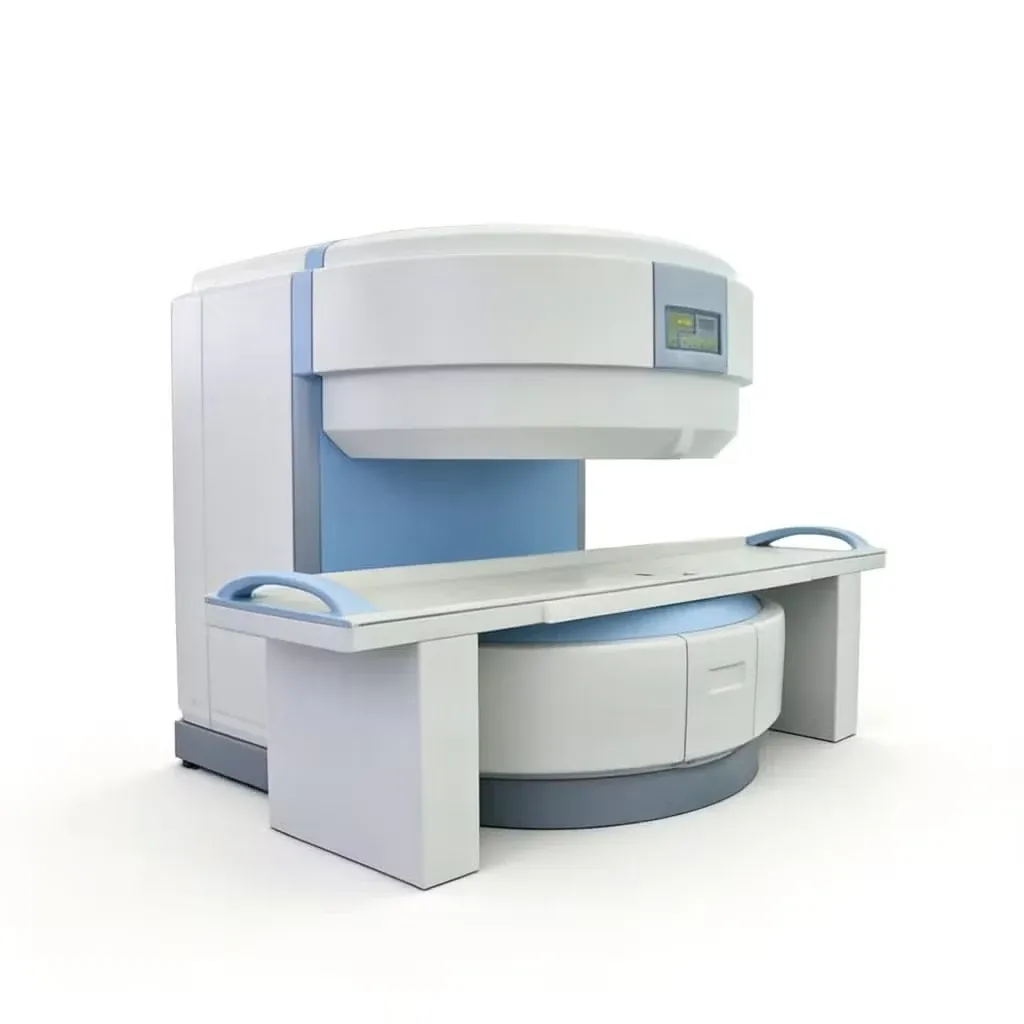
MRI Scanner Listing, 0.5 T Claim Unverified
This listing is titled as a 0.5 T MRI scanner, but the linked supplier page combines MRI wording with mobile X-ray specifications. The exact modality, model and field strength are unverified. Request a corrected, model-specific manufacturer datasheet before evaluating or purchasing the equipment.
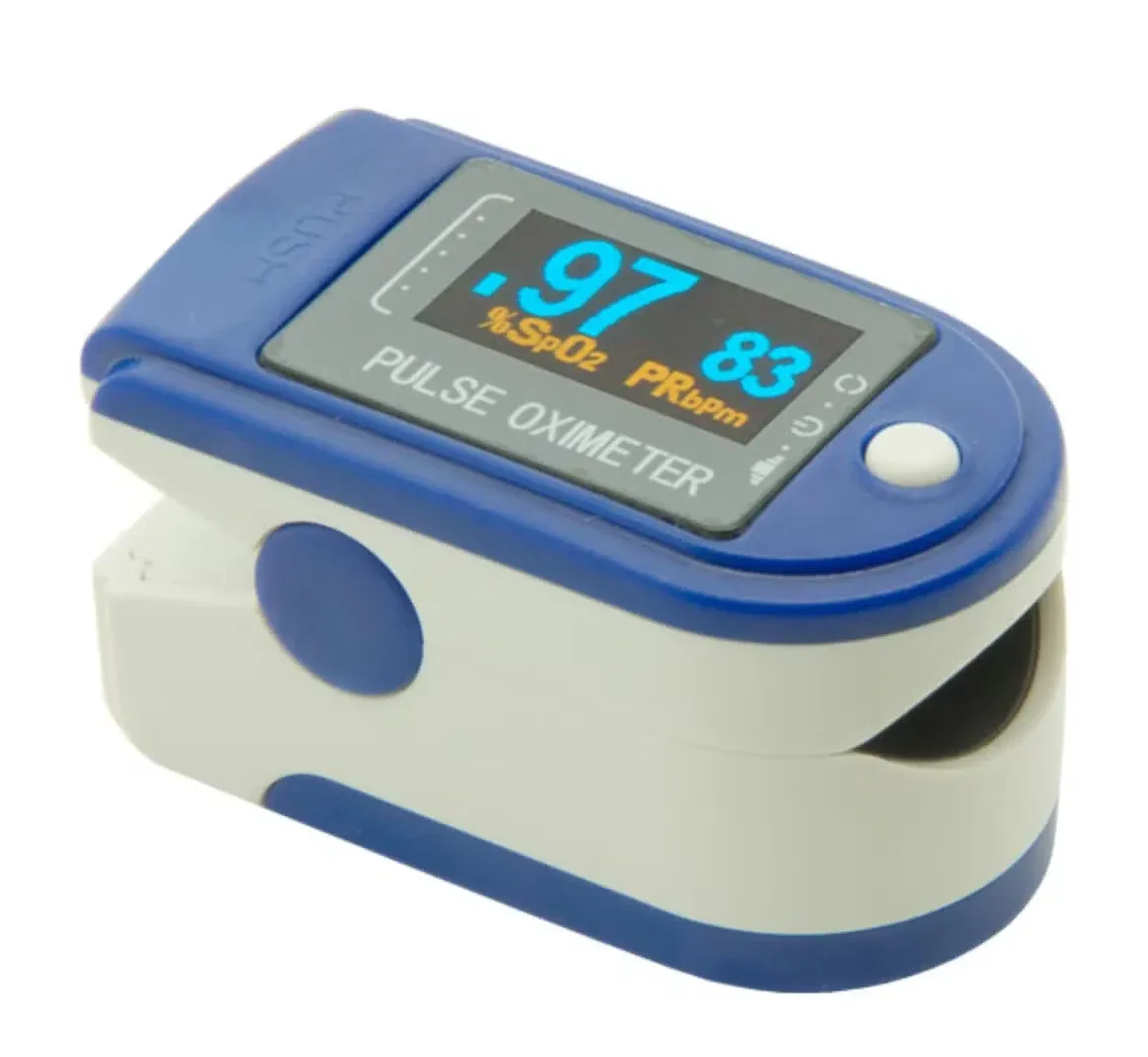
CMS50D Fingertip Pulse Oximeter
A pulse oximeter estimates peripheral oxygen saturation and measures pulse rate through a finger sensor. The listing includes an oxygen-saturation display, pulse-rate display, pulse waveform and adjustable display settings. It supports spot-check observation in clinical and prescribed home-monitoring workflows, with the readings interpreted alongside the patient assessment.
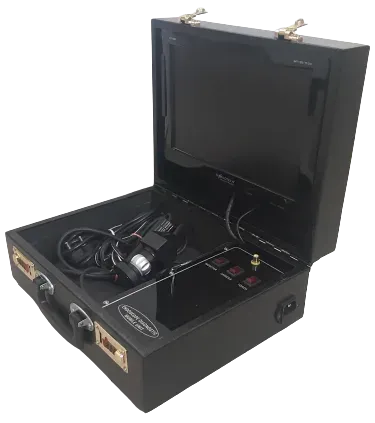
Endoscopy Unit
This portable endoscopy unit combines a display, camera, adjustable LED illumination and a carry case. The published configuration range lists 13.5-inch and 17-inch display options with different light-source and power configurations. Confirm which version, compatible scope and accessories are included in the MedPrax offer.
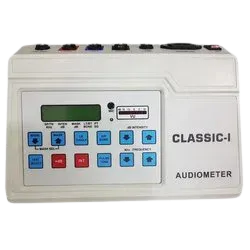
Digital Audiometer
The digital audiometer shown in this listing is identified as CLASSIC-I (A). It supports air-conduction, bone-conduction, free-field and speech audiometry, with PC software for downloading audiograms and internal storage for up to 500 records. Confirm the supplied transducers, optional features and calibration status for the quoted configuration.
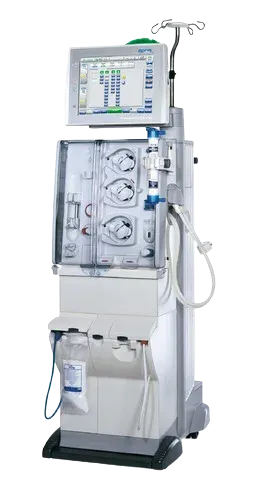
Dialysis Machine
The product catalogue attached to this listing identifies the dialysis system as model 5008 CorDiax. The brochure lists hemodialysis and online HDF functions, together with water-supply, flow, electrical and physical parameters. Confirm the current offered configuration, installed options and service support before quotation.
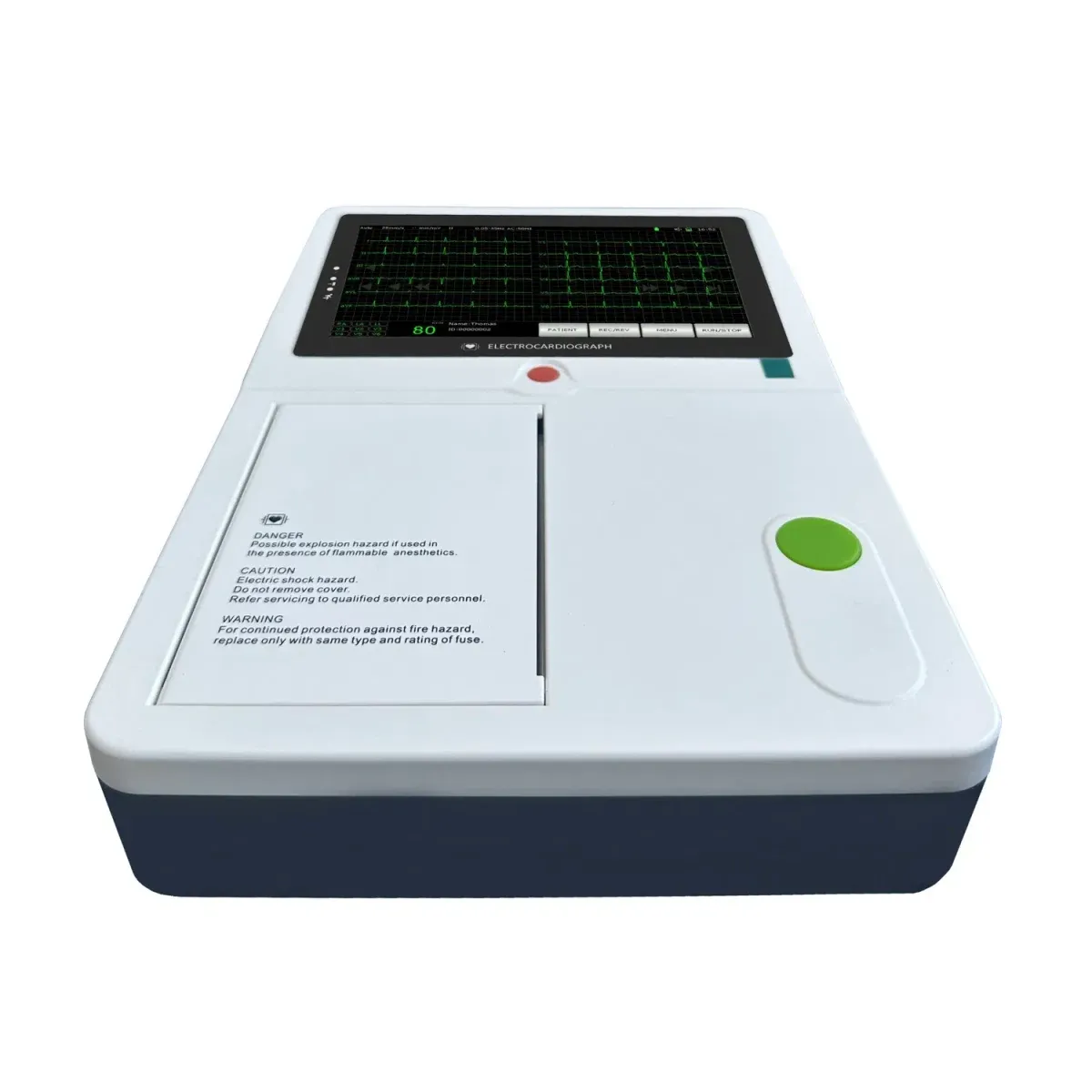
6-Channel ECG Machine with Synchronous Acquisition
This six-channel ECG system supports acquisition and presentation of the electrical activity of the heart. The listing identifies synchronous acquisition for collecting signals during a cardiac examination. It forms part of an electrocardiography workflow, with lead acquisition, report format and interpretation functions confirmed for the selected model.
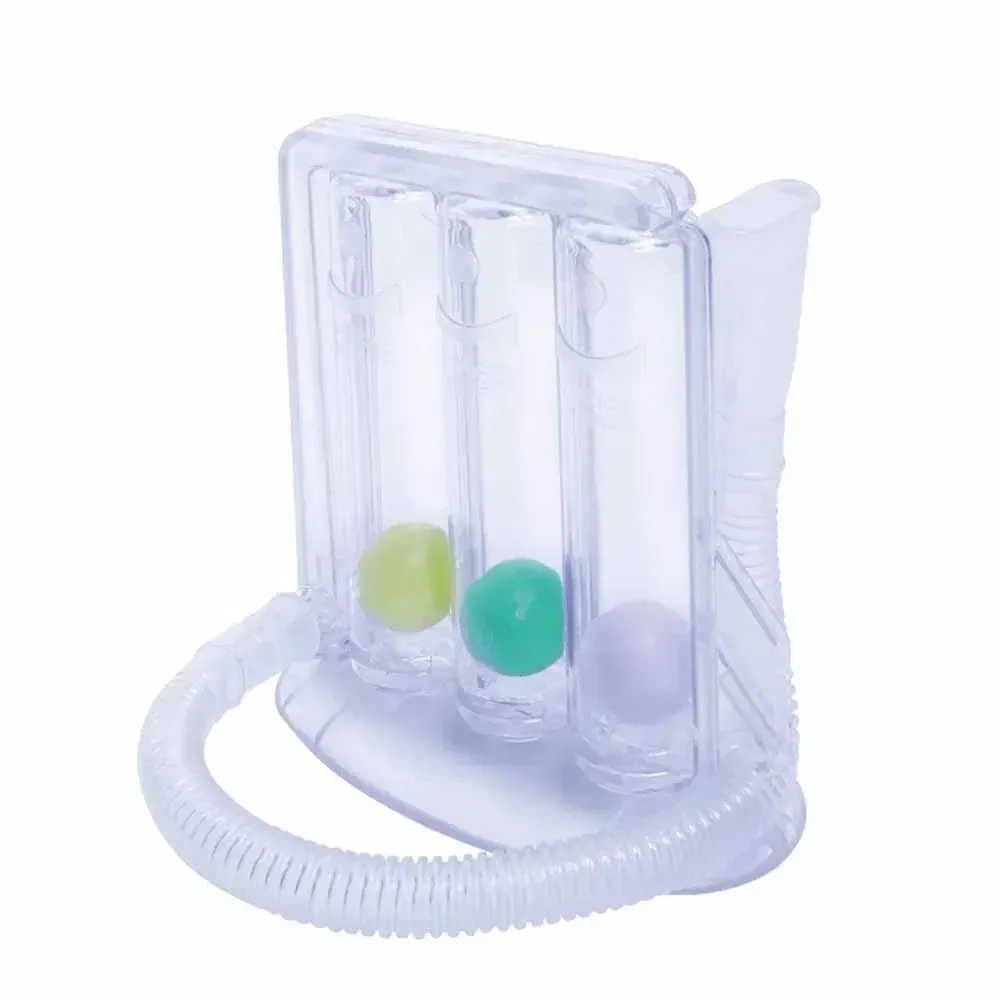
Portable Three-Ball Incentive Spirometer
A three-ball incentive spirometer is a breathing-exercise device with a transparent chamber arrangement for visual feedback during inhalation. It is used in clinician-directed breathing-exercise and respiratory-rehabilitation workflows. This mechanical breathing trainer should be distinguished from diagnostic spirometers that measure lung-function parameters or generate pulmonary-function reports.
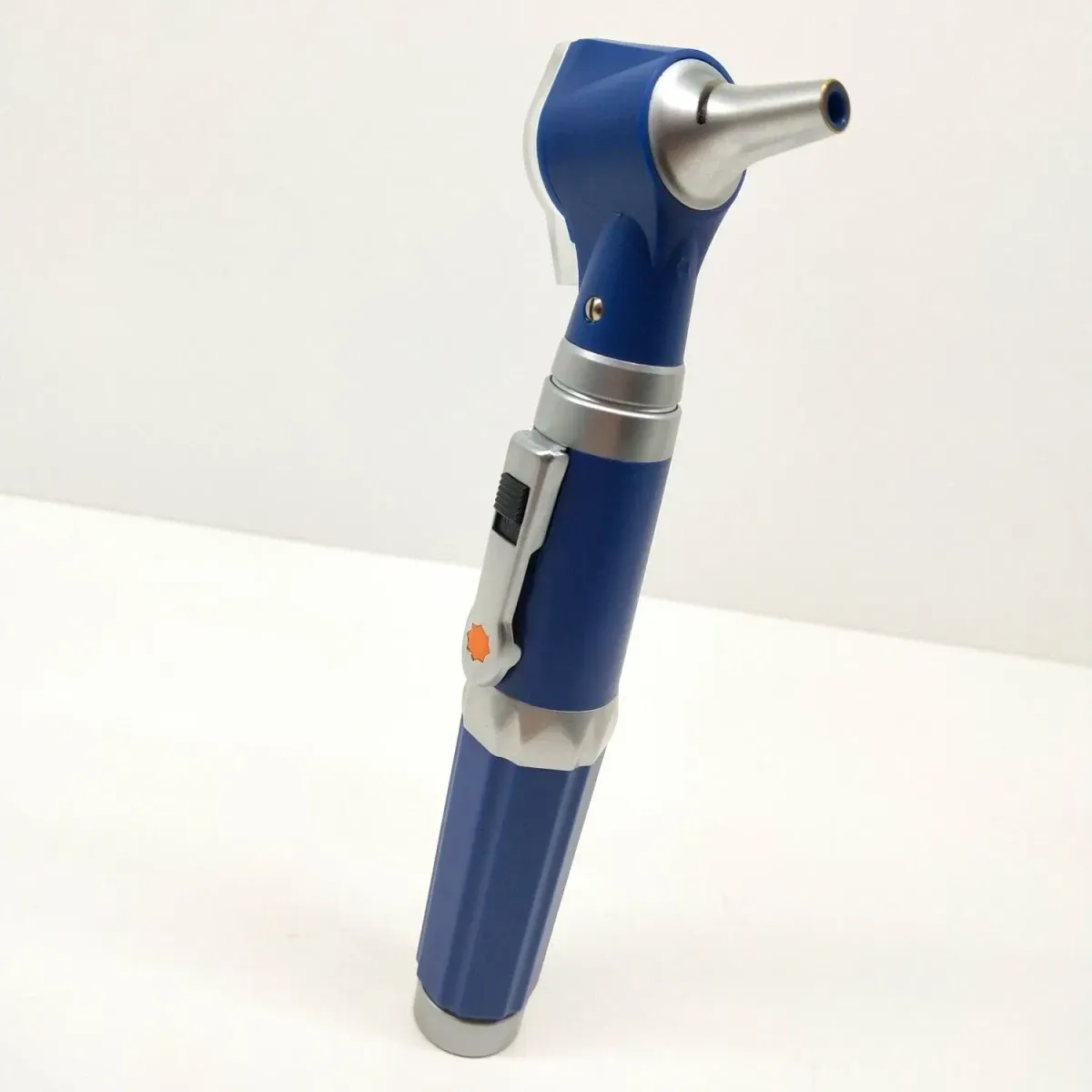
Diagnostic Set Otoscope & Ophthalmoscope
This diagnostic set combines otoscope and ophthalmoscope examination heads for ear and eye assessment. The otoscope supports inspection of the external ear canal and tympanic membrane, while the ophthalmoscope supports examination of internal eye structures. It brings both examination tools into one clinical setup for outpatient and routine diagnostic workflows.
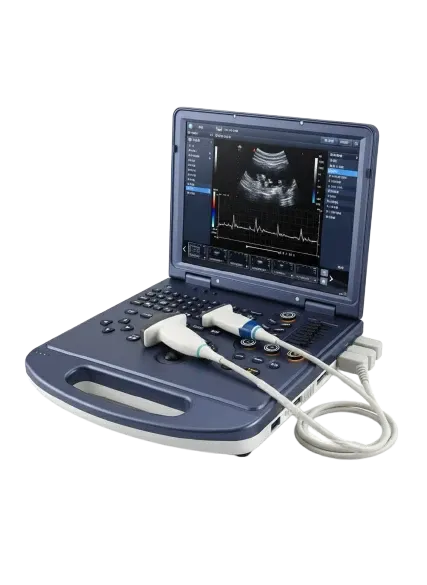
3D/4D Color Doppler Ultrasound Machine with Convex & Linear Probes
The listed configuration is a portable/cart-based 3D/4D color Doppler ultrasound machine with multi-beam digital beamformer, PW/CW Doppler, real-time volume 4D rendering, and multi-probe connectivity. It uses sound-wave imaging to support examination and review of internal anatomy.
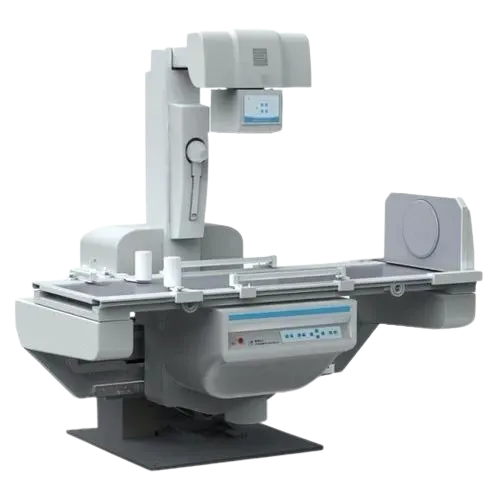
X-Ray Machine
An X-ray machine produces radiographic images for clinical examination and diagnostic review. It supports imaging workflows in which anatomical structures need to be assessed using radiography. The selected generator, detector arrangement and positioning equipment are matched to the intended examinations and installation.
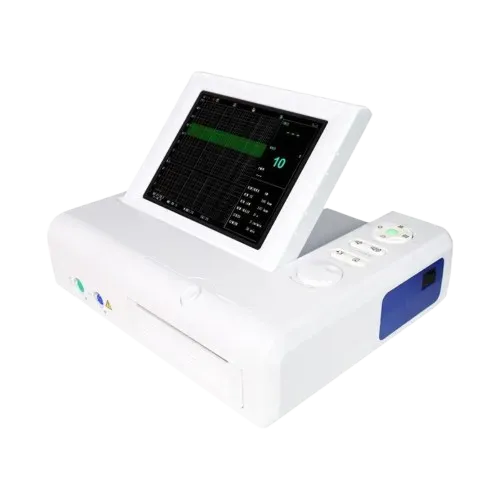
Fetal Monitor
A fetal monitor records fetal heart rate and uterine activity during maternity assessment. It supports observation and review of these measurements within obstetric care workflows. The selected monitoring configuration and transducers are matched to the department requirements and intended examination setting.
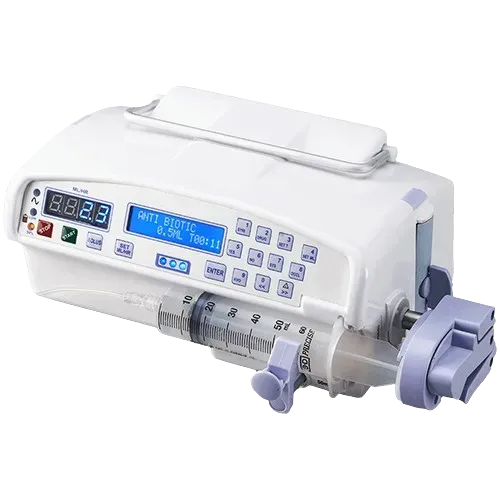
Syringe Pump
A syringe pump controls medication or fluid delivery by advancing a syringe at a set rate. It supports infusion workflows requiring controlled delivery of smaller volumes. The selected pump must accommodate the intended syringe sizes and the dosing functions required by the clinical service.
Frequently Asked Questions
There is no universal room or shielding specification. Requirements depend on modality, exact model, workload, site layout and local rules. For X-ray or CT installations in India, follow current AERB layout and shielding guidance and obtain qualified site review; MRI requires its own manufacturer and facility safety planning.
CR uses image plates that are read by a separate reader, while DR uses an electronic detector that transfers images directly to the imaging system. Compare workflow, detector configuration, software compatibility and service for the exact options offered.
Requirements depend on the procedure, equipment, staff role and destination rules. Ask the facility radiation-protection lead and regulator to confirm protective apparel, personnel monitoring and related controls for the planned installation.
Many imaging workflows use DICOM for image exchange and PACS for storage and retrieval. Confirm interfaces, software licenses, network requirements and compatibility with the facility’s workstations and existing systems.
Sourcing Enquiry
Best for diagnostic centers, clinics, and hospitals planning X-ray, ultrasound, or CT/MRI suites.
Sourcing Security
- Verified Hospital Equipment Sourcing
- Comprehensive Planning Support
- Procurement for Medical Facilities
- Direct Sourcing from Top Brands